Wyset text messages
Wyset sends one kind of text message: one-time security codes that a person asks for while signing in to, setting up or activating their own Wyset account. No marketing or promotional texts are sent. This page shows every place a person gives their consent, in the words and on the screens they see. Wyset is in a private early-access release, so these screens are behind a sign-in; the pictures below are taken from them.
Who receives texts
People with a Wyset account: professional fiduciaries and their staff, family members and beneficiaries invited to an estate or trust matter, and staff of financial institutions. A text goes only to a number the account holder typed in themselves, or, when activating an invitation, the number the invitation names, which they confirm by pressing the button that texts it. Either way, the first text follows a press beside the consent below. Wyset does not text purchased, rented or shared lists of numbers.
Opt-in 1: setting up the second sign-in step
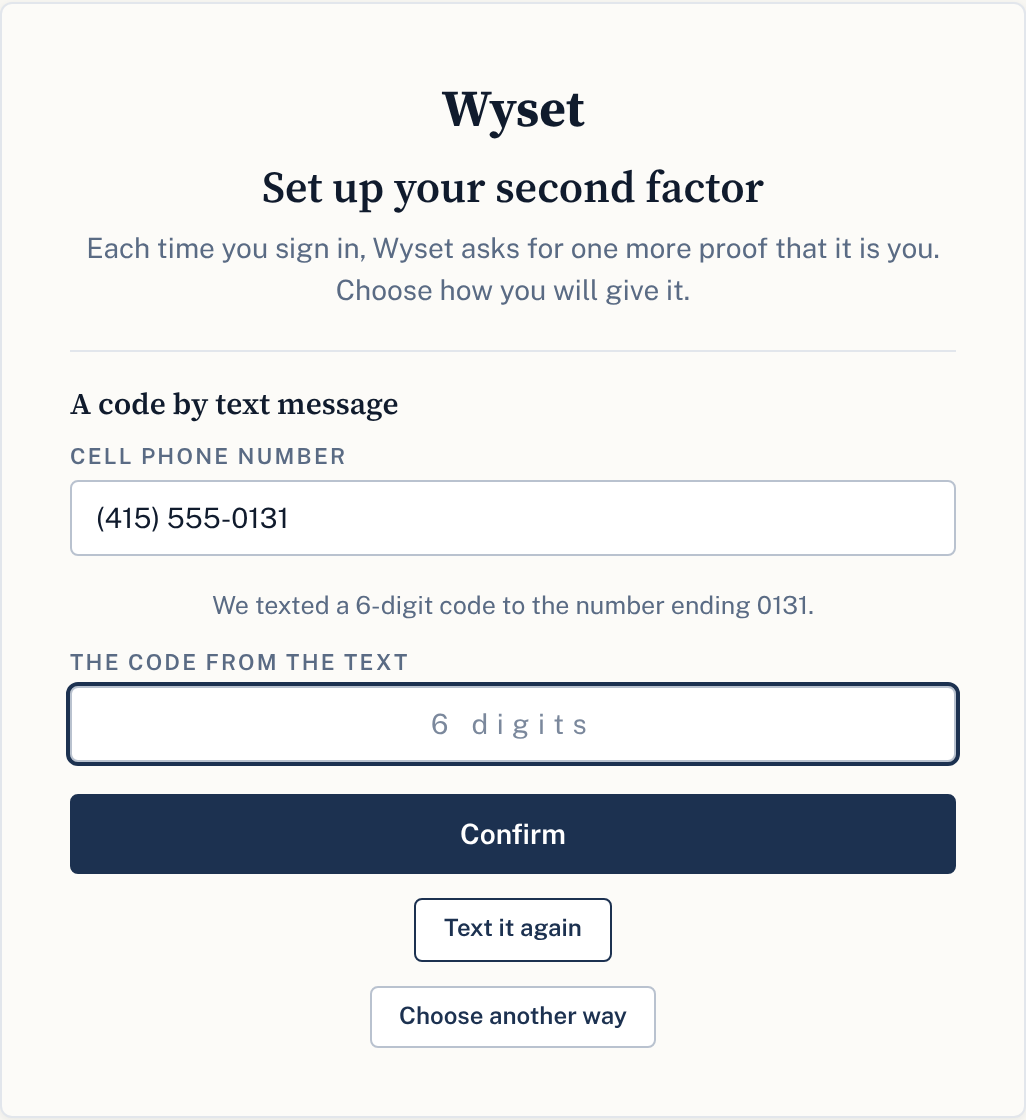
At their first sign-in, every person sets up a second sign-in step and chooses one of three ways: a code by text message, a passkey, or an authenticator app. Texting is optional. A person who chooses texting types their cell phone number, reads the consent below, and presses Text me a code. Nothing is texted before that press.
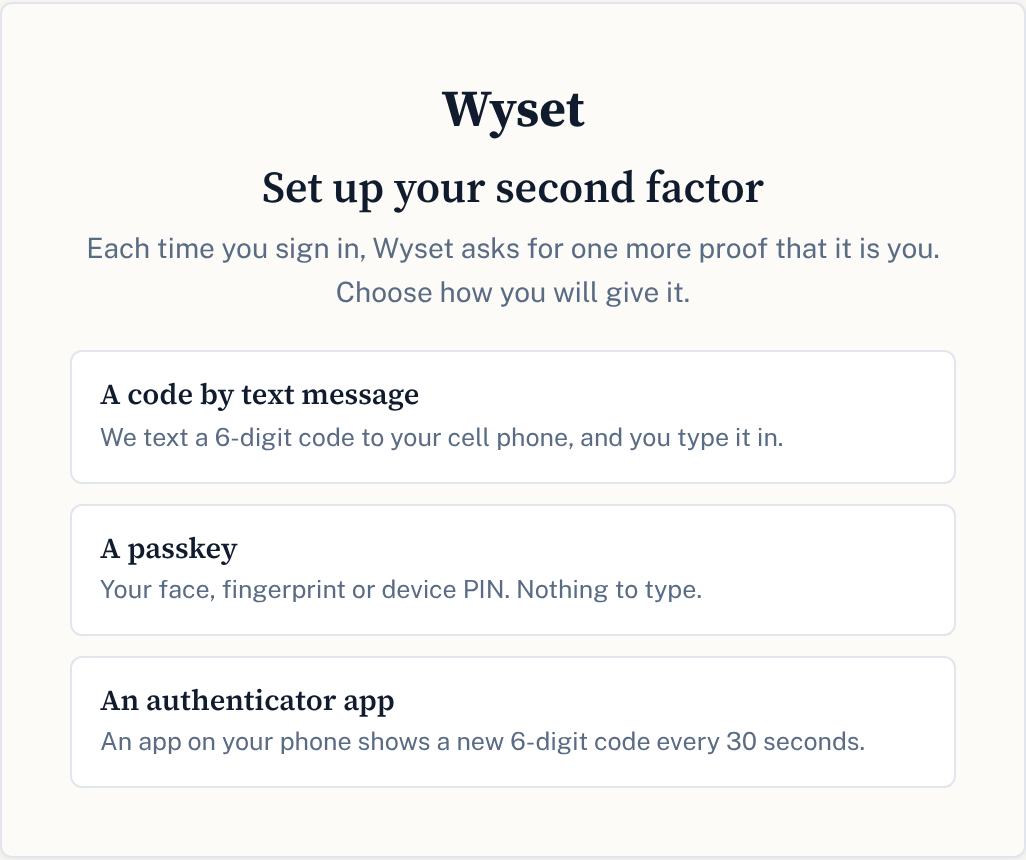
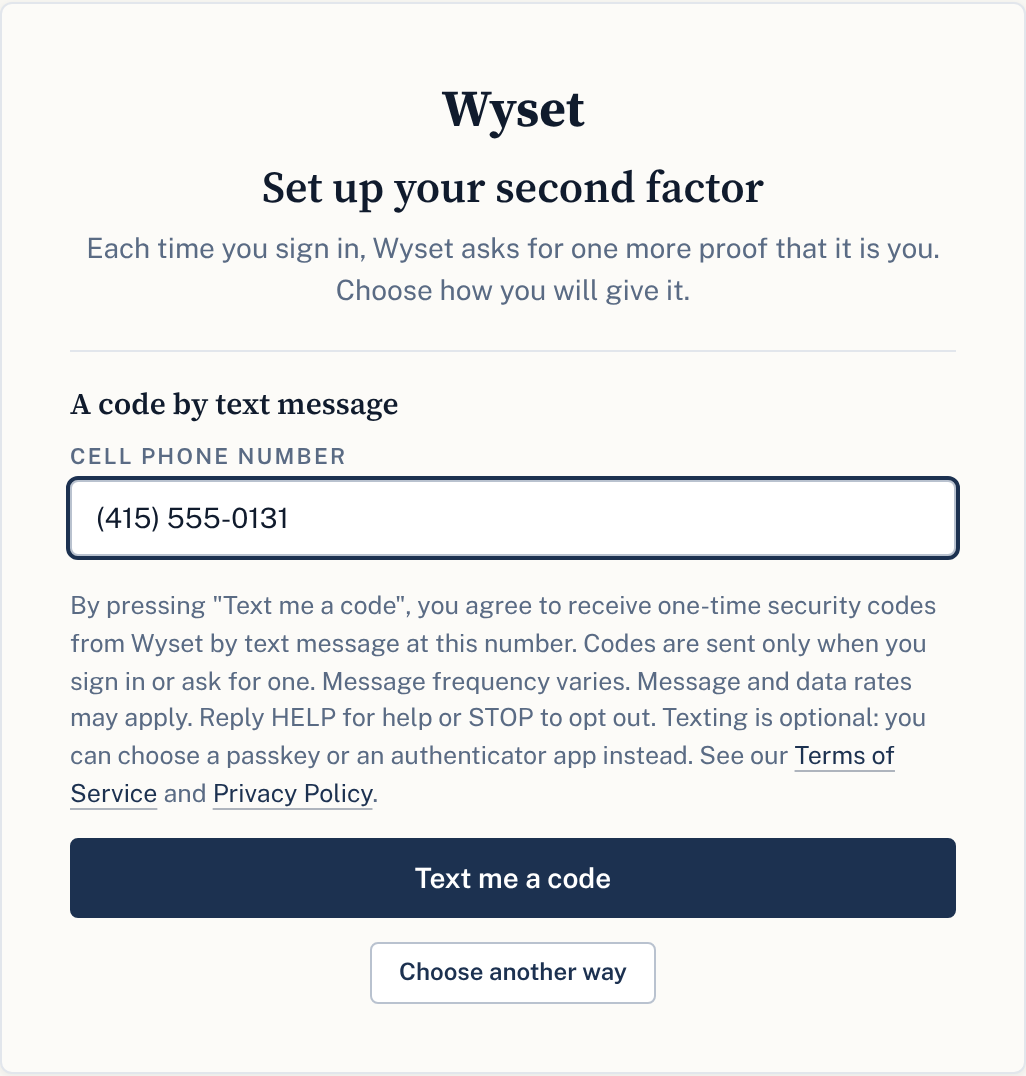
The consent on that screen, word for word:
By pressing "Text me a code", you agree to receive one-time security codes from Wyset by text message at this number. Codes are sent only when you sign in or ask for one. Message frequency varies. Message and data rates may apply. Reply HELP for help or STOP to opt out. Texting is optional: you can choose a passkey or an authenticator app instead. See our Terms of Service and Privacy Policy.
Opt-in 2: changing the second step to texting
A signed-in person can change how they give the second step on their security settings page. Choosing texting asks for the new cell phone number, with the same consent above the button that sends the first code to it:
By pressing "Continue", you agree to receive one-time security codes from Wyset by text message at this number. Codes are sent only when you sign in or ask for one. Message frequency varies. Message and data rates may apply. Reply HELP for help or STOP to opt out. Texting is optional: you can choose a passkey or an authenticator app instead. See our Terms of Service and Privacy Policy.
A person who proves the change with a passkey sees the same words naming both buttons: By pressing "Use your passkey" or "Continue", and so on.
Opt-in 3: activating an invited account
When a fiduciary invites a family member or beneficiary to a matter, the invited person receives an email with an activation link. If the invitation included their cell phone number, activating also asks for a code texted to that number. The code is texted only when the person presses Text me the code, with this consent beside the button:
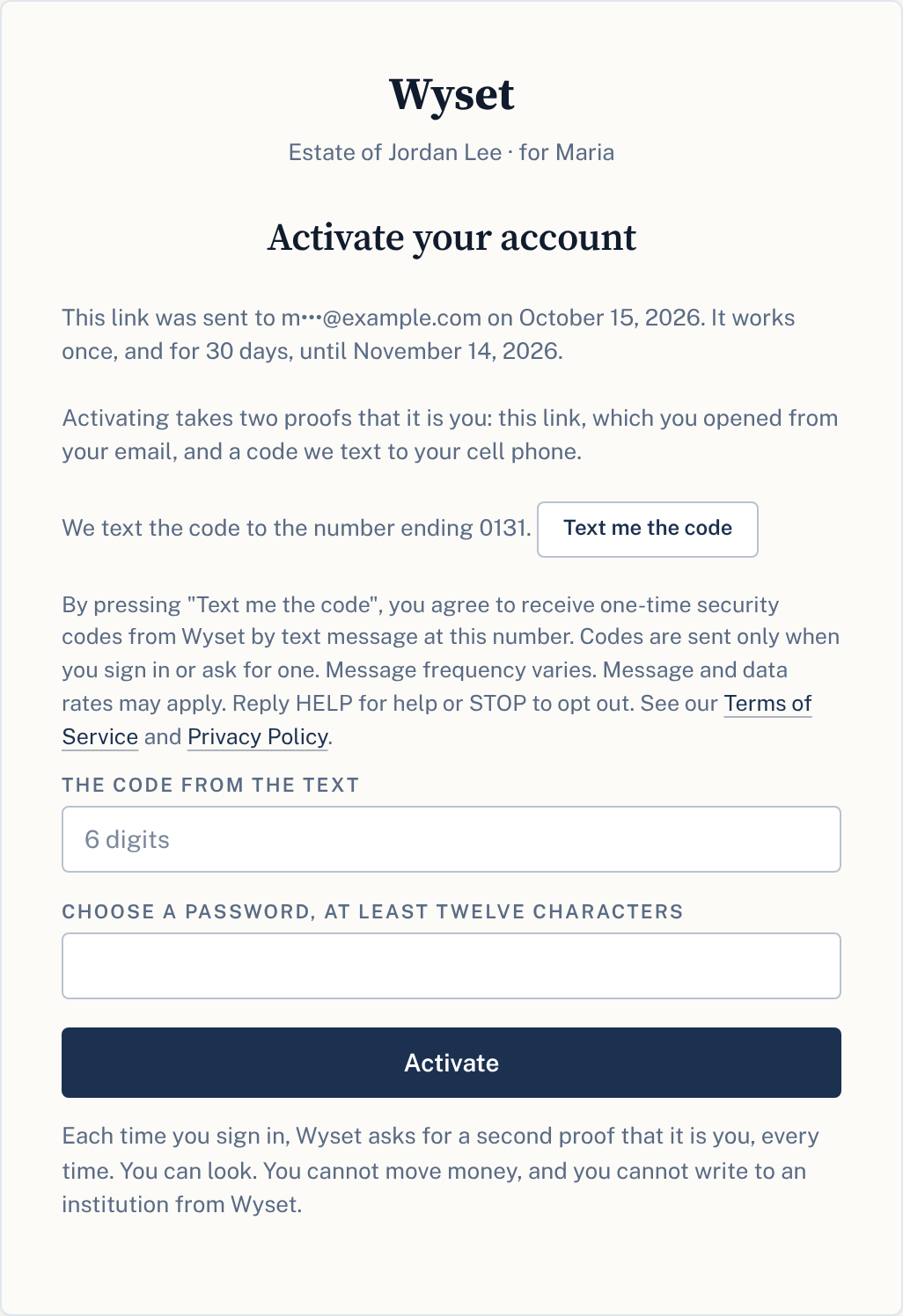
By pressing "Text me the code", you agree to receive one-time security codes from Wyset by text message at this number. Codes are sent only when you sign in or ask for one. Message frequency varies. Message and data rates may apply. Reply HELP for help or STOP to opt out. See our Terms of Service and Privacy Policy.
Here the code is one of the two proofs activation takes, so these words offer no other way. Once active, the person sets up their own second sign-in step as in opt-in 1, where texting is one choice of three.
The messages
Every text is a code for a step the person just took: signing in, or pressing a button that texts one. Examples:
| When | Message |
|---|---|
| Signing in, setting up or changing the second step | Your Wyset code is 483920. It works once, for 10 minutes. Wyset will never call you to ask for it. |
| Activating an invited account | Your Wyset activation code is 483920. It works for 10 minutes. Nobody from Wyset will ask you for it. |
Help and opting out
| The person texts | Wyset replies |
|---|---|
HELP | Wyset: one-time security codes for your Wyset account. Msg & data rates may apply. Text STOP to stop, START to resume. help@wyset.com |
STOP | You will receive no more texts from Wyset. Email continues. Text START to resume. |
START | Wyset texts resumed. Text STOP to stop. |
A person whose only second sign-in step is texting gets the same STOP reply with how to keep signing in in place of its last sentence: you stopped SMS from Wyset, and SMS is your only second factor; enroll an authenticator app or a passkey, or text START to resume.
After STOP, no further texts are sent to the number. A person who opted out signs in with one of their backup codes, then changes their second step to a passkey or an authenticator app on their security settings page.
Terms and privacy
- The text messaging program terms are in the Terms of Service, under "Text messaging program".
- The Privacy Policy says how mobile numbers are used. No mobile information is shared with third parties or affiliates for marketing or promotional purposes.
Contact us
WYSET, LLC
Email: help@wyset.com